
Acer Aspire 3 Review 2026: Is It Good for Blogging & Website Work?
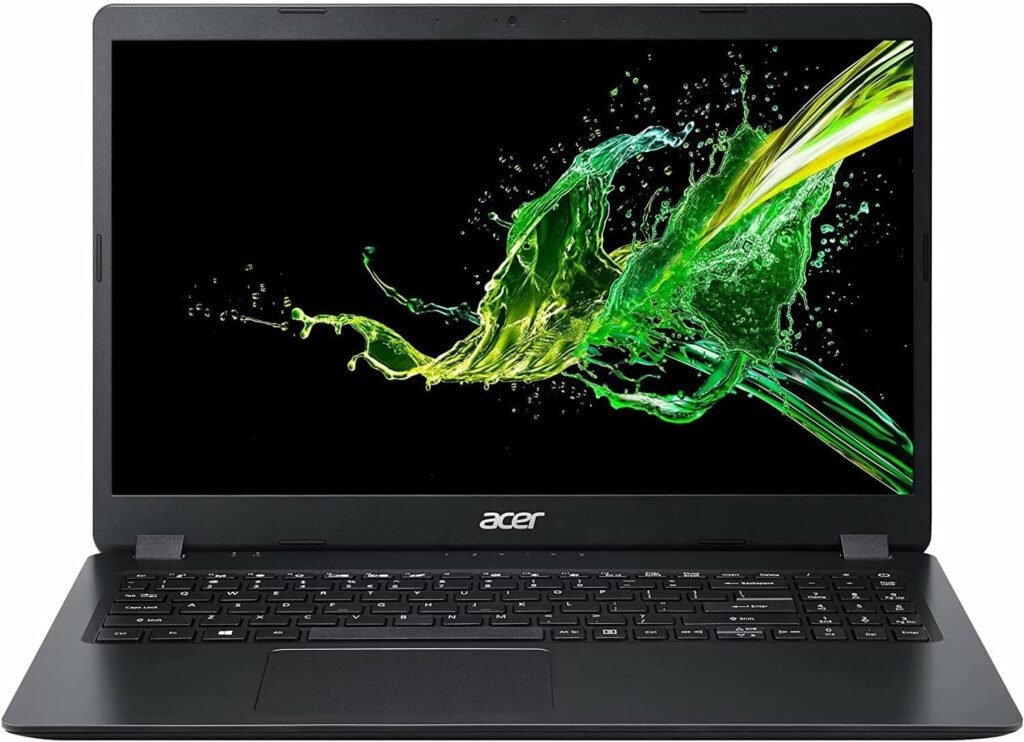
Choosing a laptop for blogging and digital work can be confusing. You do not always need an expensive laptop to manage a website, write articles, use SEO tools, work with WordPress, create images, or use AI tools. What matters more is getting the right combination of processor, RAM, storage, display, and battery life for your everyday work.
The Acer Aspire 3 is a thin and light laptop designed for everyday computing, work, study, and general productivity. The model covered in this review comes with an Intel Core i5-1334U processor, 8GB RAM, a 512GB SSD, and a 15.6-inch Full HD IPS display. Acer also lists the RAM as upgradeable, which can be useful if your workload increases over time.
But specifications alone do not tell you whether a laptop is actually suitable for website work.
In this review, we will look at the Acer Aspire 3 from a practical perspective. We will discuss its performance, display, RAM, storage, battery, ports, upgrade options, and everyday usability. More importantly, we will look at whether it is suitable for WordPress, blogging, SEO research, ChatGPT, Canva, browsing, and other common digital tasks.
We will also discuss its limitations so you can decide whether this laptop fits your requirements before spending your money.
Affiliate Disclosure: This article contains affiliate links. If you purchase through this link, we may earn a small commission at no extra cost to you.
➡️Check the latest price on Amazon
Acer Aspire 3 Specifications at a Glance
Before looking at the laptop’s real-world performance, let’s first understand its main specifications. The Acer Aspire 3 A325-53 reviewed here comes with an Intel Core i5 processor, 8GB RAM, 512GB SSD, and a 15.6-inch Full HD IPS display. The RAM and storage can also be upgraded, according to Acer’s official listing.
| Specification | Acer Aspire 3 |
|---|---|
| Processor | Intel Core i5-1334U |
| Display | 15.6-inch Full HD IPS |
| Resolution | 1920 × 1080 |
| RAM | 8GB DDR4 |
| RAM Upgrade | Up to 32GB |
| Storage | 512GB PCIe NVMe SSD |
| Storage Upgrade | Up to 1TB |
| Graphics | Intel UHD Graphics |
| Operating System | Windows 11 Home |
| Office | Microsoft Office |
| Battery | 54Wh |
| Weight | Approximately 1.7 kg |
| Ports | USB-C, USB, HDMI and more |
| Category | Thin and light everyday laptop |
These specifications make the Acer Aspire 3 more suitable for everyday productivity, blogging, website management, office work, research, and general digital tasks than for demanding gaming or professional graphics work.
If you are also interested in premium smartphones, the iPhone 18 Pro is one option worth exploring. It offers a different experience from an affordable laptop and may be useful for users who want a powerful smartphone for photography, communication and everyday digital tasks. You can check the detailed iPhone 18 Pro article to learn more about its features and specifications.
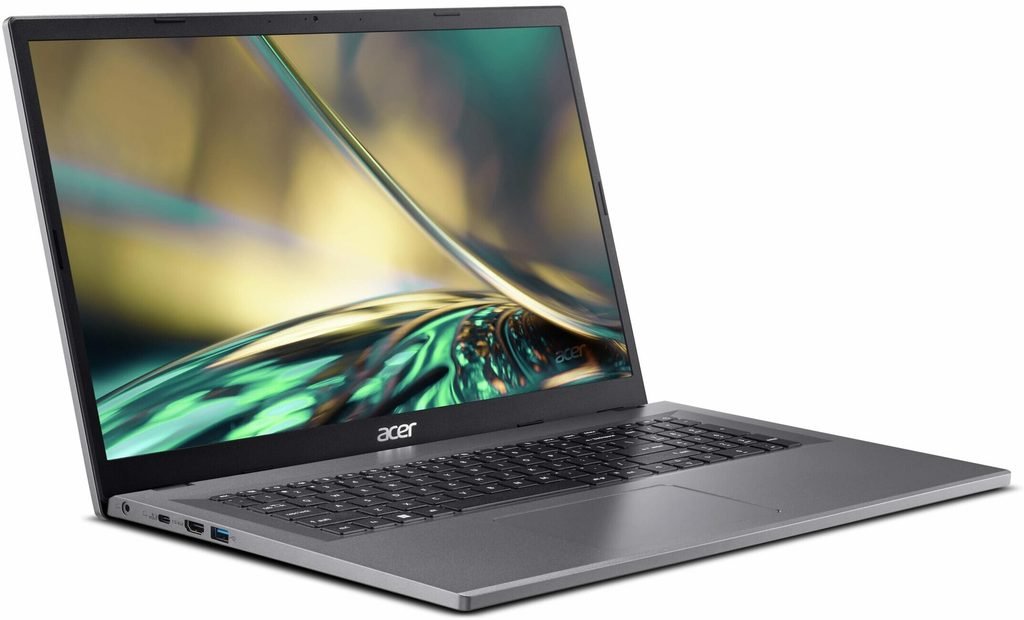
Acer Aspire 3 Design and Build Quality
The Acer Aspire 3 has a simple and practical design rather than trying to look like a premium laptop. This can actually be useful for people who want a laptop mainly for work, study, blogging, and everyday digital tasks.
At around 1.7 kg, the laptop is reasonably portable for a 15.6-inch model. You can use it at a desk for long working sessions and also carry it around the house or take it with you when needed.
The larger 15.6-inch screen also gives you more working space than many smaller laptops. This can be useful when working with WordPress dashboards, spreadsheets, research documents, or multiple browser windows.
The design is relatively straightforward, so buyers looking for a premium metal body or an ultra-slim high-end design may want to consider more expensive laptops. The Aspire 3 is positioned more toward practical everyday computing than luxury.
For a blogger or website owner, that can be a reasonable trade-off. You are generally spending more of your time looking at the screen, typing, researching, managing files, and using online tools rather than showing off the laptop’s design.
Is the Acer Aspire 3 easy to carry?
For a 15.6-inch laptop, the approximately 1.7 kg weight is manageable. It is not an ultraportable laptop, but it is also not particularly heavy for its screen size.
Acer Aspire 3 Display: Is the 15.6-inch Screen Good for Blogging?
The Acer Aspire 3 comes with a 15.6-inch Full HD IPS display with a 1920 × 1080 resolution. For everyday website work, this screen size is useful because you get a comfortable amount of space for writing, researching, and managing a WordPress dashboard.
For bloggers, the larger display can be particularly helpful. You may spend several hours switching between WordPress, Google Search, Google Search Console, SEO tools, ChatGPT, email, and other browser tabs. A 15.6-inch screen gives you more room to work compared with a smaller 13- or 14-inch laptop.
The Full HD resolution also keeps text and website interfaces reasonably sharp. This matters when you are reading long articles, checking SEO reports, editing content, or working with spreadsheets.
What About IPS?
The IPS panel is another useful feature for everyday work. IPS displays generally provide better viewing angles than basic TN panels, so the screen remains easier to view when you are not sitting directly in front of it.
However, this laptop should not be considered a professional color-accurate display for photography, professional graphic design, or advanced video production. For blogging, WordPress, research, Canva, documents, and general digital work, the screen specifications are more relevant to the intended use.
Is the Display Good Enough for Long Blogging Sessions?
For writing and website management, the 15.6-inch Full HD IPS screen is one of the practical features of the Aspire 3. The larger workspace can make it easier to read content and work across different applications.
If your main priority is professional photo or video editing, however, you should look beyond screen size and check factors such as color gamut, brightness, and color accuracy before buying.
Acer Aspire 3 Processor Performance: How Good Is the Intel Core i5-1334U?

The Acer Aspire 3 A325-53 is powered by the Intel Core i5-1334U processor, with speeds of up to 4.6 GHz according to Acer’s official specifications. It is paired with integrated Intel UHD Graphics rather than a dedicated graphics card.
For everyday productivity, this processor is well suited to tasks such as:
- Writing and editing blog posts
- Managing a WordPress website
- Researching topics online
- Running SEO tools
- Using Google Search Console
- Working with ChatGPT and other browser-based AI tools
- Using Canva for normal image creation
- Browsing with multiple tabs
- Microsoft Word, Excel and other office work
- Watching videos and attending online meetings
For these kinds of tasks, you don’t necessarily need a high-end gaming or creator laptop. The Core i5-1334U is designed around everyday mobile computing, making it a practical fit for general productivity.
What About Multitasking?
Multitasking will also depend on the laptop’s 8GB RAM, not just the processor. Acer lists the installed memory as 8GB DDR4 and says it can be upgraded to 32GB using two SO-DIMM slots.
This upgrade option is important. If you regularly keep many Chrome tabs open while running WordPress, Canva, ChatGPT and other applications, upgrading the RAM later could make the laptop more comfortable for heavier multitasking.
Is It Good for Blogging?
For blogging and website management, yes, the processor is more than suitable for ordinary tasks. The more important consideration is how much multitasking you expect to do and whether you eventually upgrade the RAM.
However, this is not a laptop designed for demanding gaming, professional 3D work, or heavy video production. Its integrated Intel UHD Graphics are better suited to everyday graphics and productivity than demanding graphics workloads.
Acer Aspire 3 RAM and Storage: Is 8GB RAM and 512GB SSD Enough?

The Acer Aspire 3 comes with 8GB DDR4 RAM and a 512GB PCIe NVMe SSD. For someone starting with blogging, WordPress, online research, office work, and everyday digital tasks, this is a workable combination.
8GB RAM
For normal website work, 8GB RAM can handle tasks such as:
- WordPress editing
- Web browsing
- Google Docs and Sheets
- ChatGPT and other browser-based AI tools
- Basic Canva work
- Email and online meetings
- SEO research
However, 8GB can become limiting when you multitask heavily. For example, if you keep many browser tabs open while simultaneously using Canva, WordPress, ChatGPT, and other applications, you may notice slower performance.
The good news is that Acer lists this model as upgradeable up to 32GB RAM, using two SO-DIMM slots. That gives the laptop more room for future upgrades.
If you are buying this laptop mainly for blogging and normal digital work, you can start with 8GB and consider a RAM upgrade later if your workload grows.
512GB SSD
The 512GB PCIe NVMe SSD is a useful starting point for most users. An SSD makes everyday tasks such as starting Windows, opening applications, loading files, and working with documents much faster than a traditional hard drive.
Acer also lists storage support up to 1TB, so you have an upgrade path if you eventually need more space.
Is This Configuration Enough?
For blogging, WordPress, SEO, research, office work, ChatGPT and normal Canva usage, the 8GB/512GB configuration is usable.
But if you are buying specifically for long-term heavy multitasking, I would look for a 16GB configuration or budget for a RAM upgrade.
Acer Aspire 3 for WordPress, Blogging and SEO Work
If you are buying a laptop mainly to build and manage a website, the most important question is not simply how fast the laptop looks on a specification sheet. You need to know whether it can comfortably handle the tools you use every day.
The Acer Aspire 3 has a useful combination of a Core i5 processor, SSD storage, a Full HD display, and upgradeable RAM. That makes it suitable for many common blogging and website-management tasks.
WordPress
For WordPress users, the laptop should comfortably handle everyday activities such as:
- Writing and editing posts
- Uploading images
- Managing WordPress pages
- Working with plugins
- Editing menus and website settings
- Checking website analytics
- Managing comments and other dashboard tasks
Most of this work happens through a web browser, so a reasonably capable processor and sufficient RAM are more important than having a dedicated graphics card.
SEO Work
SEO often means working with several browser tabs and online tools at the same time. You might have Google Search Console open in one tab, an SEO tool in another, your WordPress editor in another, and Google Search or ChatGPT in additional tabs.
The Core i5-1334U and 512GB SSD provide a solid foundation for this type of everyday productivity. The main limitation is the 8GB RAM if you regularly run many applications simultaneously.
Fortunately, Acer lists the RAM as upgradeable to 32GB.
Blogging and Content Writing
For writing articles, researching topics, editing content, and managing images, you don’t need a powerful gaming laptop.
The 15.6-inch Full HD display is particularly useful here because you have a larger workspace for reading and writing. The SSD also helps keep everyday file and application operations responsive.
Canva and Basic Image Work
You can use browser-based tools such as Canva for creating blog graphics, thumbnails, social media images, and other basic designs.
However, if your work involves professional graphic design, advanced video editing, 3D rendering, or other GPU-intensive tasks, a laptop with a dedicated graphics card would be more appropriate.
Overall for Website Work
For someone whose primary activities are WordPress + blogging + SEO + research + AI tools + normal image editing, the Acer Aspire 3 is positioned as a practical productivity laptop rather than a high-performance creator machine.
That distinction is important when deciding whether it is the right laptop for you.
Acer Aspire 3 Battery Life and Charging
The Acer Aspire 3 A325-53 comes with a 54Wh lithium-ion battery and a 65W AC adapter. Acer’s Aspire 3 range lists battery runtime of up to 8.5 hours, but actual battery life will vary depending on brightness, browser usage, applications, Wi-Fi, and workload.
For blogging and website work, battery performance matters because you may spend several hours writing, researching, using WordPress, checking SEO tools, or working in Canva.
What Can Affect Battery Life?
Your actual runtime can be shorter than the manufacturer’s maximum figure if you are:
- Running many Chrome tabs
- Using Canva or other heavier web applications
- Watching videos
- Keeping screen brightness high
- Using multiple applications simultaneously
- Running the laptop on battery-saving or performance modes
So, it is better to treat “up to 8.5 hours” as a manufacturer claim rather than a guaranteed everyday runtime.
Is the Battery Suitable for Blogging?
For normal productivity and website work, the 54Wh battery is a reasonable specification. However, if you regularly work away from a power outlet for an entire day, actual usage time should be considered before buying.
The included 65W adapter is also suitable for the laptop’s stated power requirements.
Acer Aspire 3 Ports and Connectivity: What Do You Get?
For blogging, website management, and everyday digital work, having enough ports can make a laptop much easier to use. The Acer Aspire 3 A325-53 provides a practical selection of USB ports along with HDMI, Wi-Fi, and Bluetooth connectivity.
USB Ports
The laptop includes:
- 1 × USB Type-C port
- 1 × USB 3.2 Gen 1 port
- 2 × USB 3.0 ports
This gives you enough flexibility to connect devices such as a mouse, keyboard, external storage drive, smartphone, or other USB accessories.
For a blogger, this can be useful when transferring images, connecting an external mouse, or backing up website-related files to an external drive.
HDMI Port
Acer also includes an HDMI port, which allows you to connect the laptop to a compatible external monitor, TV, or projector. This can be useful if you prefer working with a larger second screen while managing WordPress, research, or multiple browser windows.
Wi-Fi and Bluetooth
The Aspire 3 supports modern Wi-Fi connectivity and Bluetooth 5.1. This means you can connect wirelessly to your internet connection and compatible accessories such as Bluetooth headphones, speakers, keyboards, or mice.
Is the Connectivity Good Enough for Bloggers?
For normal blogging and website work, the port selection is practical. You can keep a mouse connected while still having additional USB ports available for storage or other accessories.
The combination of USB Type-C, multiple USB ports, HDMI, Wi-Fi, and Bluetooth makes the Aspire 3 reasonably flexible for everyday productivity.
Acer Aspire 3 Keyboard and Touchpad: Is It Comfortable for Long Writing Sessions?
For a blogger, the keyboard is one of the most important parts of a laptop because writing articles can involve several hours of typing every week.
The Acer Aspire 3 uses a full-size Acer keyboard layout, and the 15.6-inch chassis provides enough space for a comfortable working layout. Acer also lists a multi-gesture touchpad with support for scrolling, pinch-to-zoom, and other Windows gestures.
Is the Keyboard Good for Blogging?
The keyboard is designed more for practical everyday use than for a premium laptop experience. The larger 15.6-inch format also gives Acer enough room for a keyboard with a number pad, which can be useful for finance-related work and regular data entry. A review of an Aspire 3 configuration also found the keyboard suitable for extended typing, while noting that the keyboard was not backlit.
One limitation to keep in mind is the lack of a backlit keyboard on this configuration. If you frequently work at night in a dim room, a backlit keyboard can be more convenient. Current listings for the A325-53 also specify that the keyboard is not backlit.
What About the Touchpad?
The touchpad supports multi-touch gestures, including two-finger scrolling and pinch gestures. This is useful when browsing websites, editing WordPress posts, moving through long documents, or working without an external mouse.
For serious daily work, however, many users may still prefer an external mouse, especially when working with WordPress dashboards, image editing tools, or spreadsheets for long periods.
Keyboard and Touchpad: What Bloggers Should Know
Overall, the keyboard and touchpad are focused on practical productivity rather than premium features. The biggest thing to remember is that this is not a laptop you should buy specifically for a backlit keyboard or luxury typing experience.
For normal blogging, WordPress, SEO research, email, documents, and everyday website management, the input setup should be adequate.
Acer Aspire 3 Webcam and Audio: Is It Good for Online Meetings and Calls?
The Acer Aspire 3 A325-53 includes a 720p HD webcam and a built-in microphone, along with two built-in stereo speakers. For regular online meetings, Google Meet calls, Zoom sessions, and casual video calls, these features cover the basic requirements.
Is the Webcam Good Enough?
The built-in webcam has a 1280 × 720 resolution. This is adequate for normal video calls, but it should not be considered a high-quality camera for professional video production or content creation.
If you mainly use the laptop for blogging and occasionally attend online meetings, the built-in webcam should be sufficient. However, if you plan to create YouTube videos, record professional tutorials, or regularly appear on camera, an external webcam can provide better image quality.
What About the Microphone?
The laptop includes a built-in microphone, so you do not need a separate microphone for basic online meetings and calls. Acer also includes microphone-mute functionality in the keyboard layout.
For professional voice recording, podcasts, or high-quality YouTube narration, however, a dedicated microphone would still be a better choice.
Are the Speakers Good?
The Aspire 3 has two built-in stereo speakers. They are suitable for everyday activities such as watching tutorials, listening to meetings, or playing normal video content.
For music, movies, or content where sound quality is especially important, external speakers or headphones may provide a better experience.
Webcam and Audio: Our Take
For a blogger or website owner, the webcam, microphone, and speakers are functional rather than premium. You can comfortably use them for everyday online communication, while more demanding content-creation work may require external accessories.
Acer Aspire 3 Software and Windows 11: What Do You Get Out of the Box?
The Acer Aspire 3 A325-53 comes with Windows 11 Home and Microsoft Office. This means the laptop is ready for everyday work without requiring you to separately install an operating system after purchase.
For someone using a laptop for blogging, website management, SEO, and online work, having Windows 11 already installed makes the setup process straightforward.
Windows 11 Home
Windows 11 provides the main operating environment for the laptop. You can use it for:
- WordPress website management
- Google Chrome and other browsers
- Google Search Console
- SEO tools
- ChatGPT and other AI tools
- Canva
- Google Docs and Sheets
- Video meetings
- File management
- Online courses and tutorials
The laptop uses a 64-bit version of Windows 11 Home, according to Acer’s specifications.
Microsoft Office Included
Acer’s official listing also specifies Microsoft Office with this configuration.
This can be useful for users who regularly work with documents, spreadsheets, presentations, or other office-related tasks.
Is the Software Setup Good for Bloggers?
For a blogger or website owner, the included software provides a useful starting point. You can set up your browser, WordPress workflow, cloud storage, SEO tools, image-editing tools, and other applications according to your requirements.
However, the laptop’s included software should not be confused with specialized professional software. If your work involves advanced video editing, 3D rendering, professional graphics, or other demanding applications, the Intel UHD integrated graphics and 8GB RAM may become limitations.
For everyday blogging and website work, though, the combination of Windows 11 Home + Microsoft Office + Core i5 processor + SSD gives you a practical starting setup.
Acer Aspire 3 Upgradeability: Can You Add More RAM and Storage Later?
One useful feature of the Acer Aspire 3 A325-53 is that the laptop is not completely locked to its original 8GB RAM configuration. Acer states that the 8GB DDR4 RAM can be upgraded up to 32GB through two SO-DIMM slots. The 512GB PCIe Gen3 NVMe SSD can also be upgraded, with Acer listing support up to 1TB.
Can You Upgrade the RAM?
Yes. The two SO-DIMM slots give you an upgrade path from the included 8GB RAM to as much as 32GB, according to Acer’s specifications.
This can be particularly useful for someone who starts with basic blogging and later moves into heavier multitasking. For example, you might eventually keep WordPress, multiple Chrome tabs, Canva, ChatGPT, SEO tools, spreadsheets, and other applications open at the same time.
For basic website work, 8GB can be workable. But if your workload becomes heavier, moving to 16GB or more can make the system more comfortable for multitasking.
Can You Upgrade the Storage?
The laptop comes with a 512GB PCIe Gen3 NVMe SSD, while Acer lists storage upgrade support up to 1TB.
For a new blogger, 512GB is a useful starting point. You can store documents, images, downloads, software, videos, and other files without immediately needing external storage.
If you eventually work with large image libraries or video files, additional storage may become useful.
Why Upgradeability Matters
A laptop with upgrade options can be more practical for long-term use because your requirements may change.
You might initially use the Acer Aspire 3 for:
- Blogging
- WordPress
- SEO research
- Google Search Console
- ChatGPT
- Canva
- Office work
Later, you may need more RAM because of heavier multitasking. Having an upgrade path means you don’t necessarily have to replace the entire laptop simply because your workload has increased.
Important: Before purchasing or upgrading, check the exact configuration and Acer’s current service/upgrade guidance for your unit. Specifications can vary between regional or model variants.
Acer Aspire 3 for Gaming and Video Editing: What Can It Actually Handle?
The Acer Aspire 3 A325-53 is primarily designed as an everyday productivity laptop, rather than a gaming or professional creator machine. The configuration reviewed here uses the Intel Core i5-1334U with integrated Intel UHD Graphics, so its graphics performance is more limited than laptops equipped with a dedicated GPU.
Can You Play Games on the Acer Aspire 3?
The laptop can handle light gaming and less demanding games, especially when using sensible graphics settings. However, it is not designed for modern AAA gaming.
The integrated Intel graphics are suitable for everyday graphics, video playback, and lighter games, but demanding titles can require much more graphics power. Independent testing of a closely related Aspire 3 configuration with the same Core i5-1334U also describes it as suitable for light gaming rather than demanding games.
If gaming is one of your main reasons for buying a laptop, a model with a dedicated NVIDIA or AMD graphics card would be more appropriate.
Is It Good for Video Editing?
For basic video editing, the Aspire 3 can be useful. You can work with short videos, simple cuts, basic transitions, thumbnails, and social-media content.
However, professional video editing is a different requirement.
Projects involving:
- Long 4K videos
- Heavy effects
- Complex timelines
- Advanced color grading
- 3D work
- Professional rendering
can put considerably more pressure on the processor, RAM, and integrated graphics.
The 8GB RAM configuration is also worth considering here. Although Acer states that this model can be upgraded to 32GB, heavier editing workloads would benefit from more RAM.
What About Canva and Image Editing?
For blogging, Canva, website graphics, thumbnails, resizing images, and normal photo editing, the Aspire 3 should be much more comfortable than it would be for heavy gaming or professional video production.
This makes the laptop better suited to a blogger, student, freelancer, or general online worker who occasionally edits visual content rather than someone whose main profession is video production.
Gaming and Editing: Bottom Line
The Acer Aspire 3 should be viewed as a productivity-first laptop.
For:
Blogging → Yes
WordPress → Yes
SEO work → Yes
Canva → Yes, for normal work
Basic video editing → Yes
Light gaming → Yes
Heavy video editing → Limited
Modern AAA gaming → Not recommended
That distinction is important because a laptop that works very well for blogging does not necessarily need to be powerful enough for gaming or professional video production.
Acer Aspire 3 Pros and Cons
After looking at the processor, display, RAM, storage, battery, connectivity, keyboard, and everyday performance, it becomes easier to understand where the Acer Aspire 3 fits.
It is mainly an everyday productivity and work laptop, so its strengths are more relevant to students, bloggers, office users, and people doing regular online work than to professional gamers or creators.
Pros of Acer Aspire 3
1. 15.6-inch Full HD IPS display
The larger Full HD screen provides useful workspace for writing, research, WordPress, spreadsheets, and general browsing.
2. Intel Core i5-1334U processor
The processor is suitable for everyday productivity, including blogging, SEO research, WordPress, browsing, and office applications.
3. 512GB NVMe SSD
The SSD provides faster everyday storage performance than a traditional hard drive and gives you useful space for documents, images, applications, and other files.
4. RAM can be upgraded
The included 8GB RAM is not the end of the road. Acer lists support for upgrading the RAM up to 32GB through two SO-DIMM slots. This is particularly useful if your workload becomes heavier later.
5. Practical port selection
USB, USB Type-C, HDMI, Wi-Fi, and Bluetooth give you flexibility for everyday accessories and external displays.
6. Windows 11 and Microsoft Office included
The laptop comes with Windows 11 Home and Microsoft Office, giving users a ready-to-use setup for general productivity.
7. Suitable for blogging and website work
For WordPress, content writing, SEO research, Google Search Console, ChatGPT, Canva, email, and normal browsing, the hardware is appropriately positioned for the job.
Cons of Acer Aspire 3
1. Only 8GB RAM in the reviewed configuration
Eight gigabytes can be enough for normal work, but heavy multitasking may make you consider a RAM upgrade.
2. Integrated Intel UHD graphics
There is no dedicated graphics card, so this isn’t designed for demanding gaming, professional 3D work, or heavy video production.
3. Keyboard is not backlit
If you frequently type in a dark or dimly lit room, the lack of keyboard backlighting can be inconvenient.
4. Webcam is basic
The 720p webcam is suitable for normal video calls but isn’t aimed at professional video recording.
5. Not a premium laptop
The Aspire 3 focuses on practicality and everyday productivity rather than premium materials, high-end speakers, or luxury design.
Overall Picture
The most important thing is to match the laptop with your actual workload.
If your main activities are blogging, WordPress, SEO, online research, office work, Canva, browsing, and other everyday digital tasks, the Aspire 3’s specifications make sense for that type of use.
If your priority is high-end gaming, professional video editing, 3D rendering, or demanding graphics work, you should look at laptops with more powerful processors, more RAM, and dedicated graphics.
Who Should Buy the Acer Aspire 3 and Who Should Avoid It?
The Acer Aspire 3 is not designed for everyone. Its value depends largely on what you plan to do with the laptop.
Instead of looking only at the processor name or RAM number, consider your actual daily workload.
Who Should Consider the Acer Aspire 3?
Bloggers and content writers
If your work involves writing articles, managing WordPress, researching topics, editing documents, and using browser-based tools, the Aspire 3 has the basic hardware required for these tasks.
Website owners
Managing a WordPress website does not normally require a high-end gaming laptop. Tasks such as editing posts, uploading images, checking analytics, managing plugins, and working with Google Search Console are well within the type of everyday productivity this laptop is designed for.
SEO beginners and digital marketers
SEO work often means keeping several browser tabs open while researching keywords, checking search results, working in Search Console, and writing or editing content. The Core i5 processor and SSD provide a practical foundation for this type of work.
Students and office users
The large Full HD display, Windows 11, Microsoft Office, SSD, and everyday connectivity make it suitable for documents, presentations, spreadsheets, online classes, browsing, and video meetings.
People who want upgrade flexibility
The ability to upgrade the RAM gives this laptop an advantage for users who may need more memory in the future.
Who Should Look at Other Options?
Serious gamers
If gaming is your primary purpose, the integrated Intel UHD graphics are a limitation. A gaming laptop with a dedicated graphics card would be more suitable.
Professional video editors
People working regularly with demanding 4K projects, advanced effects, complex timelines, or professional rendering should consider hardware with a more powerful processor, additional RAM, and dedicated graphics.
3D designers and professional creators
3D rendering and other GPU-intensive workloads require significantly more graphics power than this configuration provides.
Users who want a premium laptop experience
If you specifically want a metal chassis, premium display, high-end speakers, or a backlit keyboard, the Aspire 3 is positioned differently. It focuses more on practical everyday computing.
What About Someone Starting an Online Business?
For someone starting a blog, website, freelance work, or another online business, the Aspire 3 can cover many of the basic computing requirements.
You can use it to write content, manage a website, communicate with clients, research topics, use AI tools, create basic graphics, manage spreadsheets, and handle everyday online tasks.
The important point is that your work requirements should determine the laptop you buy, rather than simply choosing the most powerful specification available.
Acer Aspire 3 Price and Availability in India
Laptop prices can change frequently, so it is important to check the price of the exact configuration before buying.
At the time of writing, Acer India’s official store lists the Acer Aspire 3 A325-53 with Intel Core i5-1334U, 8GB RAM and 512GB SSD at ₹59,999, reduced from an MRP of ₹79,990. However, the official Acer listing currently shows “Coming Soon”, so the ₹59,999 price should not be treated as a guaranteed purchase price or current stock status.
Other current listings show different prices. For example, a recent price listing for the 8GB/512GB configuration showed around ₹52,800, while prices can vary between sellers and configurations.
What Should You Check Before Buying?
Before placing an order, check these details carefully:
- Processor: Intel Core i5-1334U
- RAM: 8GB DDR4
- Storage: 512GB NVMe SSD
- Display: 15.6-inch Full HD IPS
- Operating system: Windows 11 Home
- Office: Microsoft Office
- Exact model number: A325-53
- Seller and warranty
- Return/replacement policy
- Current price and availability
This is especially important because the Acer Aspire 3 name covers multiple configurations, and two laptops carrying the Aspire 3 name may have different processors, RAM, storage, or displays.
For the configuration reviewed in this article, the official Acer specifications are the reference point.
“With 8GB RAM and 512GB SSD, this laptop is currently available at a great price on Amazon — [Check Price Here].”
Acer Aspire 3 Review 2026: Is It Good for Blogging and Website Work?
After looking at the main specifications and everyday features, the Acer Aspire 3 A325-53 appears to be aimed at users who need a practical laptop for regular productivity rather than high-end performance.
For blogging and website work, the Core i5-1334U processor, 512GB NVMe SSD, 15.6-inch Full HD IPS display, and upgradeable RAM provide a useful combination. These specifications are suitable for tasks such as writing articles, managing WordPress, browsing, SEO research, using Google Search Console, working with ChatGPT, creating normal Canva graphics, and handling everyday office work.
The 8GB RAM is the main specification to keep in mind. It can handle normal productivity, but users who regularly work with many browser tabs and several applications at once may eventually benefit from an upgrade. Acer lists support for up to 32GB RAM, which provides additional flexibility.
The laptop is less suitable if your main requirement is high-end gaming, professional video editing, 3D rendering, or other graphics-intensive work, because this configuration uses integrated Intel UHD Graphics rather than a dedicated GPU.
So, Is Acer Aspire 3 a Good Laptop for Bloggers?
For the specific use case of blogging, WordPress, SEO, online research, and general digital work, the specifications are well aligned with those requirements.
However, it is important not to choose a laptop solely because it has an Intel Core i5 processor. The complete configuration matters, including RAM, SSD, display, upgrade options, battery, and the type of work you actually perform.
If you are a beginner building a website or starting an online business, the Aspire 3 provides the basic hardware needed for many everyday tasks without moving into the more expensive gaming or professional-creator category.
Before buying, always check the exact model, current price, seller, warranty, and availability because laptop configurations and prices can change.
Frequently Asked Questions About Acer Aspire 3
Is Acer Aspire 3 good for blogging?
Yes. The Core i5 processor, 512GB SSD, and 15.6-inch Full HD display are suitable for WordPress, content writing, SEO research, browsing, and everyday online work.
Is 8GB RAM enough for blogging?
8GB is enough for normal blogging and website work. If you regularly use many browser tabs and applications together, upgrading the RAM can be useful.
Can Acer Aspire 3 run Canva?
Yes. It can handle normal Canva work such as blog graphics, thumbnails, and social media designs. Heavy professional graphics work may require a more powerful laptop.
Can Acer Aspire 3 be used for SEO work?
Yes. You can use Google Search Console, SEO tools, keyword research tools, WordPress, browsers, and other common SEO applications.
Is Acer Aspire 3 good for gaming?
It is better suited to light gaming. The integrated Intel UHD Graphics are not intended for demanding modern games.
Can the RAM be upgraded?
Yes. Acer lists support for up to 32GB RAM through two SO-DIMM slots.
Does Acer Aspire 3 have an SSD?
Yes. This configuration comes with a 512GB PCIe NVMe SSD.
Pingback: iPhone 18 Pro India: Price, Features & Why It’s Trending in 2026